把手机当作旁边的屏幕来控制
把鼠标推到电脑显示器边缘,就会跨到 Android,点击、滚动、拖拽一气呵成。
别看视频,直接上手试试。移动光标在设备之间穿梭、摆放设备,再把文件拖到其他设备发送。
上面的演示就是真实的设备布局功能——在应用里也是这样摆好、把鼠标滑过去。
这些场景很好用
不懂网络设置也没关系。从你常做的事来看,一下就明白它用在哪儿。
把鼠标推到电脑显示器边缘,就会跨到 Android,点击、滚动、拖拽一气呵成。
搜索词、聊天回复、应用输入框,凡是要在手机上打字的时候,都能直接用电脑键盘。
抓起文件拖到屏幕边界,就直接发到选定的设备;文字和剪贴板也在两端一起同步。
摆好另一台电脑,就能把鼠标滑过去控制它,还能互传文件。
平时用 Wi-Fi,没有 Wi-Fi 路由器或网络时,就用 Bluetooth 直接连到手机和另一台电脑。
连接方法
复杂的设置交给应用自己处理。你只要跟着屏幕上的顺序走就行。要打开的只有一个无障碍服务。
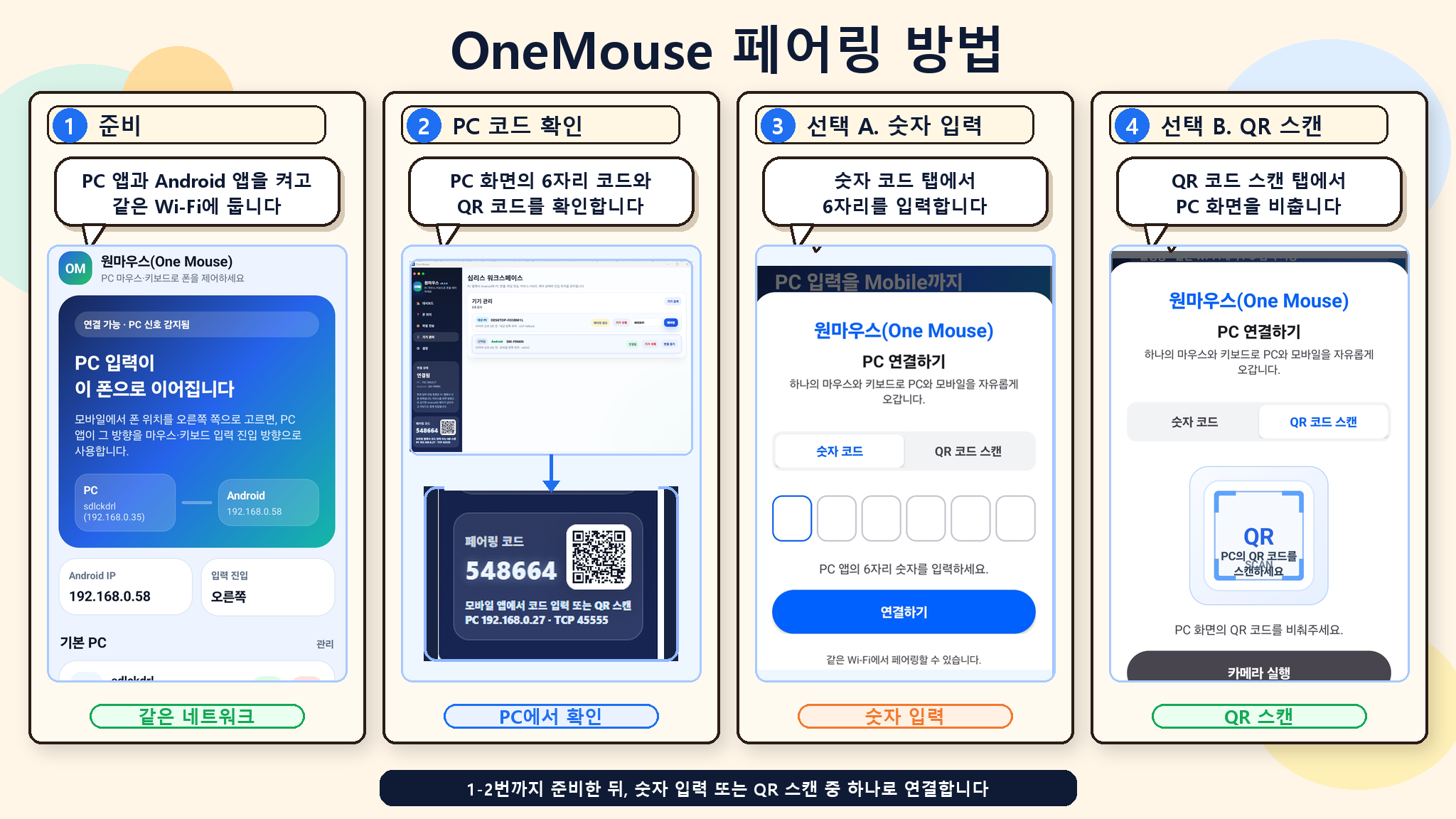
在 Windows 上打开 OneMouse,看一下屏幕上的二维码或 6 位数字码。
为了接收电脑的鼠标和键盘输入,打开一次无障碍服务。
找到同一 Wi-Fi 下的电脑,扫二维码或输入 6 位数字码确认你的设备。
把手机和另一台电脑放到屏幕边缘,往那个方向推鼠标就完成了。
放心使用
OneMouse 只在你配对过的自己的设备之间运行。权限也只在你用到相应功能时才请求。
下载
电脑端优先支持 Windows 10/11。Android 打开无障碍服务后再与电脑配对。
正在获取最新的 Setup 文件。
下载 Windows 版大多数 Android 设备都能安装。
前往 Google Play在三星 Galaxy 设备上通过商店打开并安装。
前往 Galaxy Store常见问题